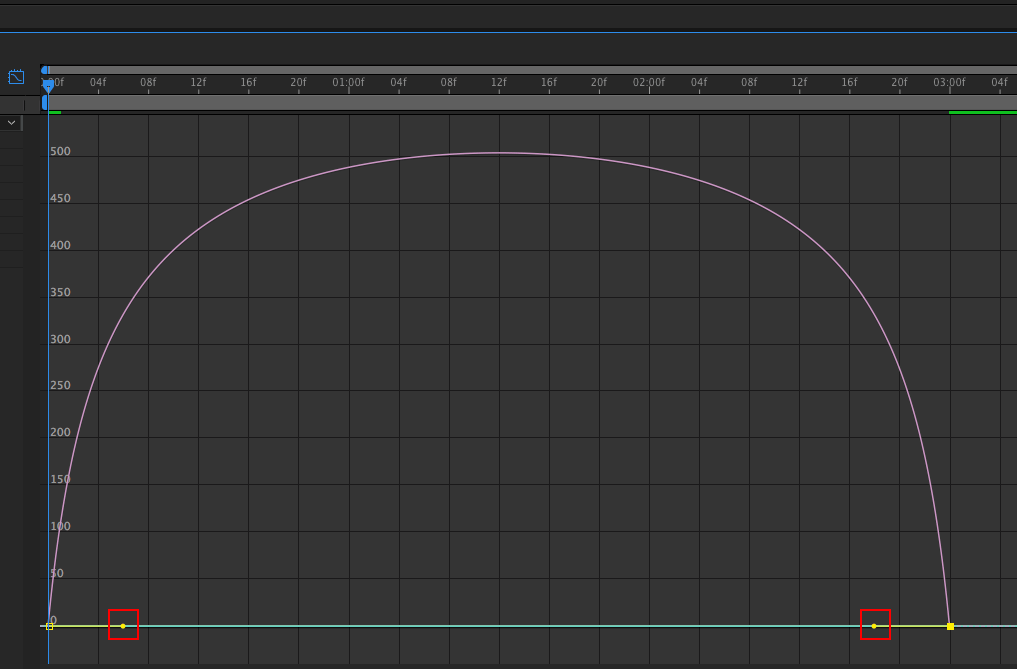
This is how to animate a ball shape so it eases in or out from point A to point B.
Step 1
Make a new comp in AE and draw a ball (Shape Layer) on the stage. Tween it with Keyframe Assistant > Easy Ease.
Step 2
Select both tween points in your timeline. Click the Graph Editor button (  ) to reveal the graph editor.
Step 3
Right-click the graph editor area and select Edit Speed Graph.
Step 4
Drag the start and end points of your speed graph down to the bottom (where the green line is). This should form an upside-down “U” shape.
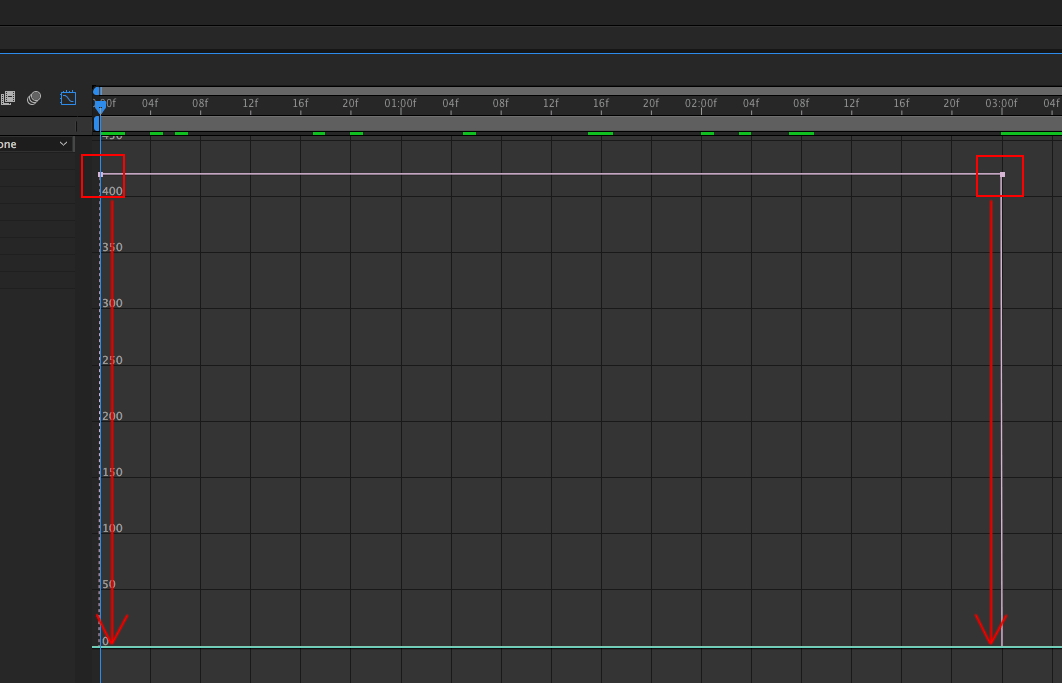
Step 5
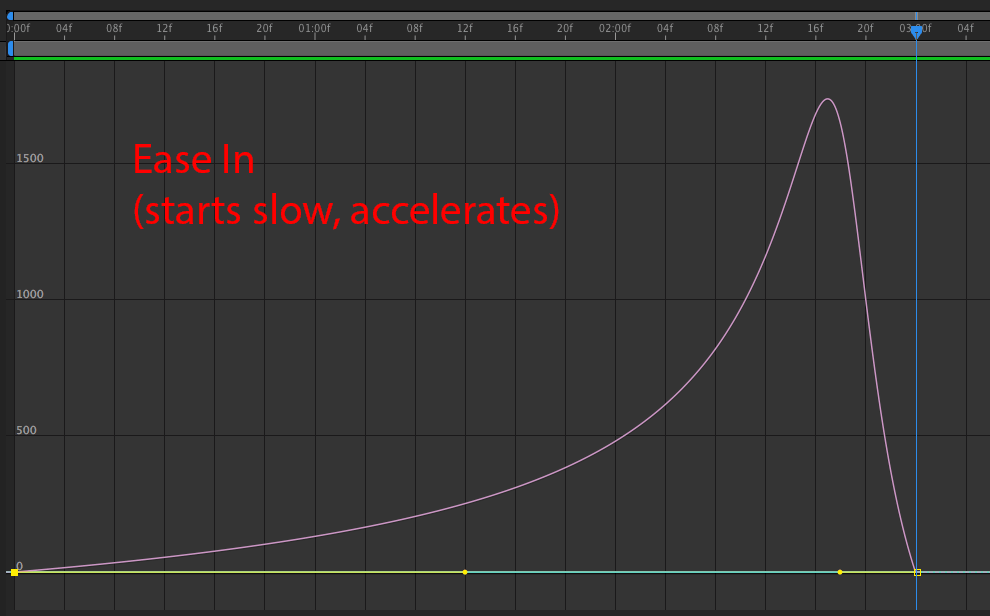
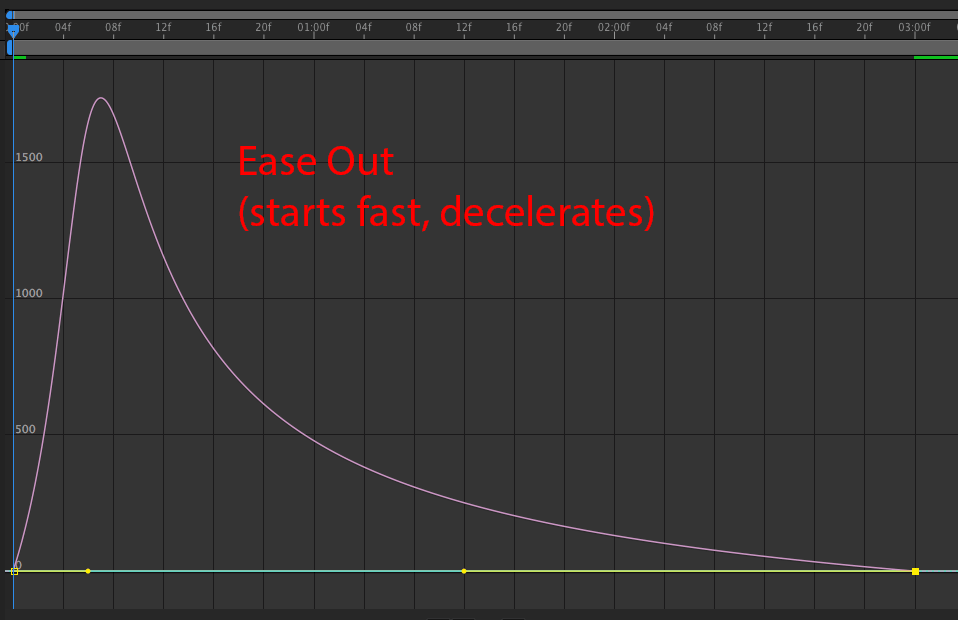
Pull either the left or right handles inward. Doing so will make an Ease In or Ease Out (see screenshot and diagrams below).